

WhiteHart Casino Payments
The payment section at White Hart Casino helps players manage deposits, withdrawal requests and their transaction history from a single account. Available options include banking services, digital payment solutions and cryptocurrencies, allowing users to select a suitable method in the cashier. Before confirming a transaction, players can check the GBP currency, amount, payment details and terms of the selected method. This makes it easier to plan transactions and monitor their status.
The Cashier as Your Payment Management Hub
After logging into your White Hart Casino account, open the cashier and select the required action: making a deposit or submitting a withdrawal request. Before proceeding to confirmation, check the available transaction limits and instructions for your chosen payment method. The transaction history provides a record of previous payments.
Which Deposit Methods Are Available?
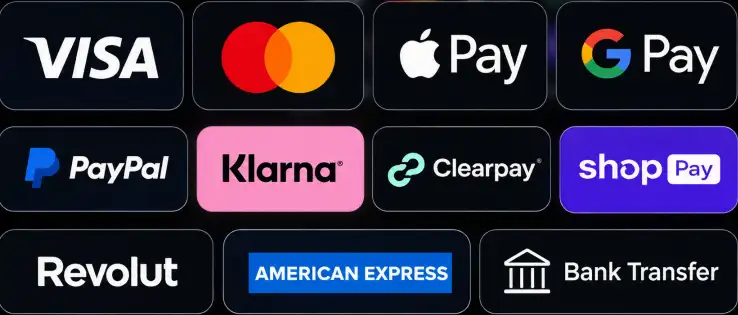
White Hart Casino offers bank cards, digital payment methods, bank transfers and cryptocurrencies. Payment options listed on the platform include Apple Pay, Google Pay, BLIK, iDeal, MB WAY and Multibanco. The payment section image also features Visa, Mastercard, PayPal, Klarna, Clearpay, Shop Pay, Revolut and American Express logos. However, the cashier determines which methods are actually available for your account.
- Bank cards — a convenient way to enter card details and authorise payments through your bank.
- Apple Pay and Google Pay — allow you to use a configured payment method on a compatible device.
- Bank transfers — suitable for transactions completed using the provided banking instructions.
- Regional payment services — displayed according to your country and the availability of each method.
- Cryptocurrencies — require users to select the correct coin, network and wallet address before transferring funds.
| Category | Example Methods | What to Check Before Paying |
|---|---|---|
| Cards | Bank card | Transaction limits and bank authorisation |
| Mobile payments | Apple Pay, Google Pay | Device compatibility and selected card |
| Banking solutions | Bank Transfer, iDeal, Multibanco | Bank details and transfer instructions |
| Local payment services | BLIK, MB WAY | Availability in your country |
| Cryptocurrencies | Crypto | Coin, network and wallet address |
How to Deposit Funds into Your Account
The White Hart Casino cashier guides users through the process, from selecting a payment method to confirming the transaction. Before completing a deposit, it is particularly important to double-check the amount and currency.
- Log into your account and open the Deposit section in the cashier.
- Select a payment method available for your account.
- Enter the amount in pounds sterling and review the displayed limits.
- Provide the required payment details or proceed to authorisation through your chosen payment service.
- Confirm the transaction and check that it appears in your transaction history or account balance.
If your deposit is linked to a promotion, the qualifying amount for the welcome deposit offer starts at £20. However, you should check the individual minimum and maximum limits for your selected payment method.
GBP Transaction Limits and Potential Charges
WhiteHart Casino Payments displays the relevant financial conditions when users select a payment method. Transaction limits may vary depending on the provider and currency, so there is no single amount that applies to every player. Before making a payment, it is also worth checking for potential processing fees or currency conversion charges, particularly if your external payment account operates in a currency other than GBP.
How to Submit a Withdrawal Request
To request a withdrawal at White Hart Casino, open the relevant cashier tab, select an available payment method and enter the required amount. Checking your payment details before submission helps ensure that the request is linked to the correct bank account or cryptocurrency wallet. Available withdrawal methods may depend on previously used payment options and your account verification status.
- Check whether all requested verification steps have been completed.
- Ensure that the payment method holder's name matches your account details.
- Review the minimum withdrawal amount and your current personal transaction limits.
- After submitting your request, monitor its status in your transaction history.
Withdrawal Processing and Payment Times
Under the withdrawal procedure described by White Hart Casino, requests are usually processed within 24–48 hours once the necessary documents have been received. After approval, the time required for funds to arrive depends on the bank, selected payment provider or cryptocurrency network. Approximately one working day is a useful guideline rather than a guaranteed arrival time.
Account Verification and Cryptocurrency Details
Financial transactions at White Hart Casino may require proof of identity, proof of address and evidence that the selected payment method belongs to the account holder. The KYC process helps verify that the player's personal details match those associated with the withdrawal request. Preparing clear, readable documents in advance can make this stage more straightforward.
When using cryptocurrency, WhiteHart recommends carefully checking the selected coin, blockchain network and wallet address. These details must match the instructions displayed in the cashier. For bank cards and digital wallets, the main priorities are accurate payment details and successful authorisation through the payment provider's interface.
- Compare the requested transaction amount with your available balance and applicable limits.
- Keep confirmation records for completed transactions.
- Never share passwords or one-time verification codes with anyone.
- Clarify any payment-related concerns through the official Live Chat service.
Stay in Control of Every Transaction
WhiteHart Casino Payments brings payment selection, transaction checks and withdrawal tracking together in one convenient process. White Hart Casino allows players to review payment details, available limits and transaction statuses without confusing the conditions of different methods. WhiteHart encourages users to open the cashier, choose a suitable payment option and review the current GBP transaction conditions before confirming a payment. WhiteHart also makes it possible to double-check the relevant details before proceeding.
FAQ
Can I withdraw funds using a different payment method from the one used for my deposit?
Available withdrawal methods depend on your account settings and previous transactions. WhiteHart Casino may require you to use the same payment method that was originally used to deposit funds. If you need to change your withdrawal method, contact Live Chat to check which alternatives are available.
Does WhiteHart Casino charge fees for deposits or withdrawals?
Any applicable charges depend on the selected payment method, bank and transaction currency. Additional costs may arise from currency conversion or transfers handled by third-party providers. Before confirming a payment, check the final amount and relevant conditions in the cashier.
Why might my available withdrawal balance differ from my total account balance?
Your total account balance may include funds linked to active bonuses. If you have an offer with wagering requirements, part of your balance may not be immediately available for withdrawal. Check your bonus status and available balance in your account before submitting a request.
What should I do if a deposit has been charged to my card but has not appeared in my balance?
First, check your transaction history and the payment status in your banking app. If the transaction has been confirmed but your balance has not updated, contact WhiteHart Casino support through Live Chat. Have the transaction date, time, amount and reference number ready. Never disclose your full card number, CVV or one-time verification codes.
How does my VIP level affect the maximum withdrawal amount?
WhiteHart Casino applies weekly and monthly withdrawal limits according to the player's VIP status. For example, Bronze members can withdraw up to £2,500 per week and £10,000 per month, while Diamond members have limits of £7,000 and £25,000 respectively. You can check your current VIP level and applicable transaction limits in your account.